Published 2026-03-06
How to Write AI Image Prompts
The exact formula for writing prompts that produce stunning AI images — subject, setting, lighting, camera, style — with real examples and common mistakes to avoid.
Why Prompt Quality Matters
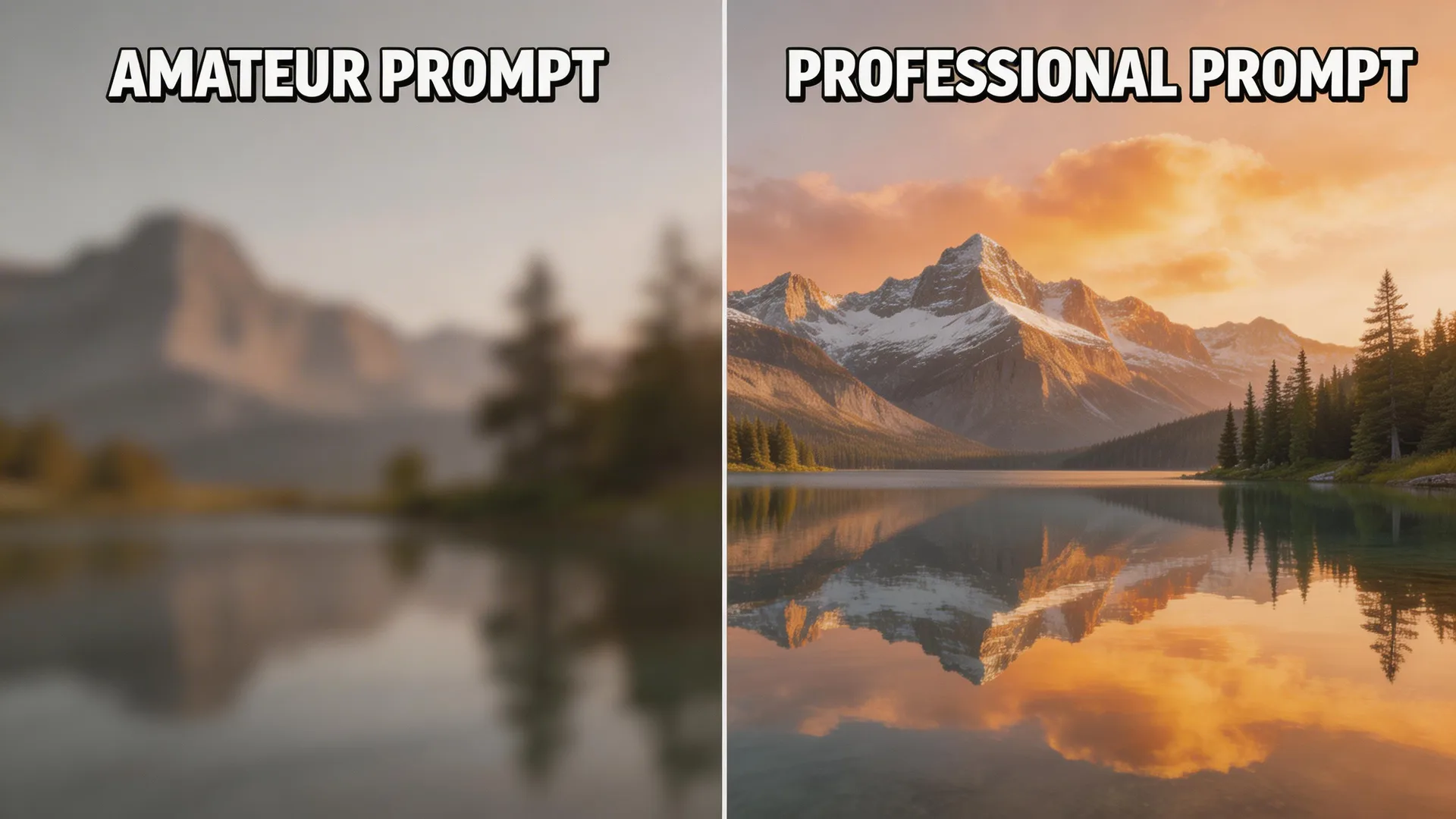
The difference between a mediocre AI image and a breathtaking one isn't the model — it's the prompt. Seedream 5 uses chain-of-thought reasoning to interpret your words, which means it understands natural language far better than older models that relied on keyword matching. You don't need to stuff your prompt with comma-separated tags. Instead, describe what you want as if you're briefing a professional photographer. A clear, structured prompt consistently outperforms a vague one, even when the vague prompt is longer. The quality of your output is directly proportional to the specificity of your input.
The Anatomy of a Great Prompt
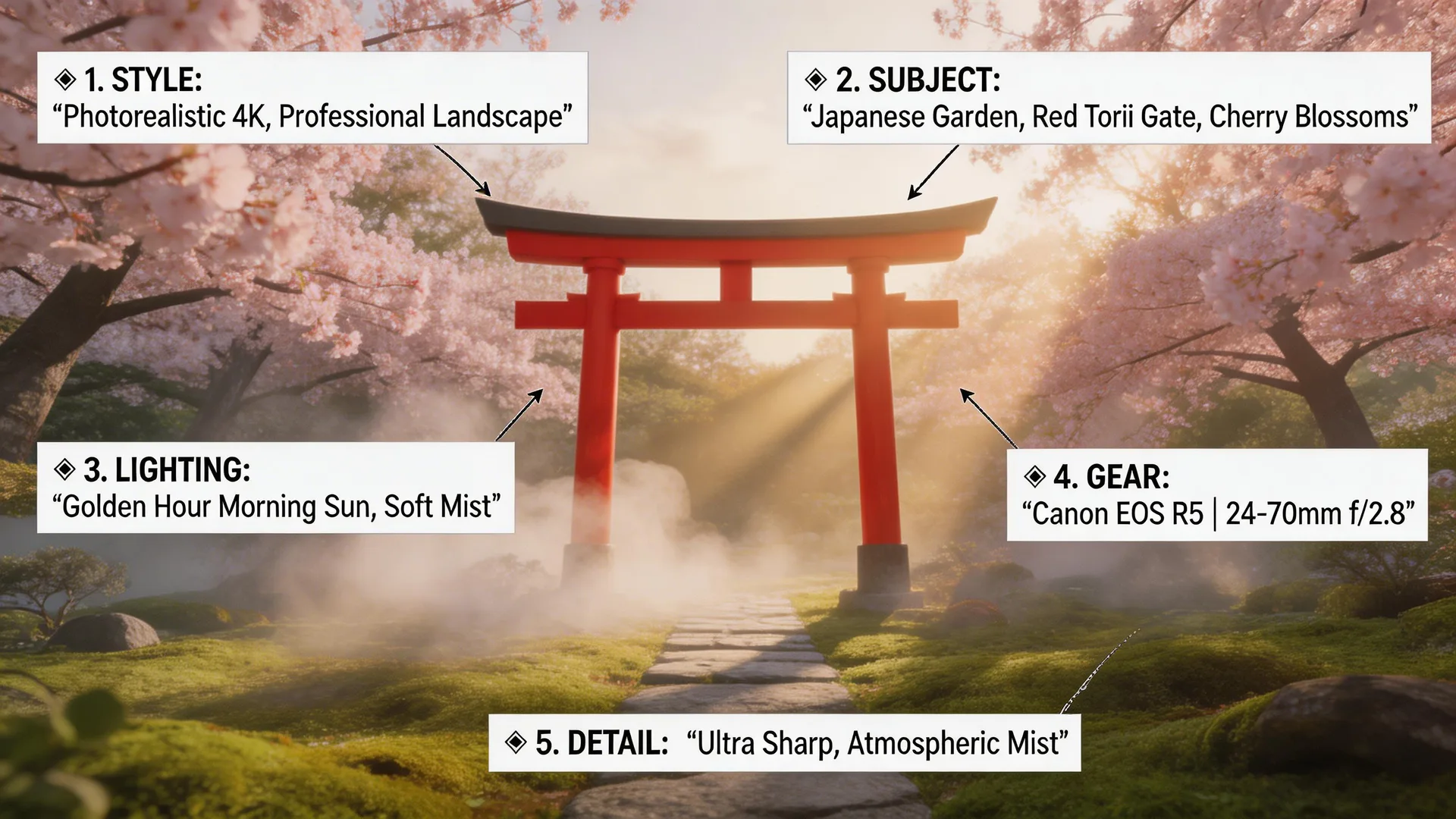
Every effective AI image prompt follows a simple formula: Subject + Setting + Lighting + Camera/Lens + Style + Details. Start with your subject — be specific about who or what, their appearance, clothing, and pose. Then place them in a setting with environmental details. Add lighting direction and mood (golden hour, Rembrandt lighting, neon glow). Specify camera and lens for photographic realism (shot on Canon EOS R5, 85mm f/1.4, shallow depth of field). Finally, add style keywords (editorial, cinematic, photorealistic) and fine details (material textures, color grading). For example: 'A Japanese garden with cherry blossoms and a red torii gate, soft morning mist, golden hour sunlight filtering through trees, shot on Canon EOS R5 with 24-70mm lens at f/2.8, professional landscape photography.' Each element guides Seedream 5's reasoning engine toward a specific, predictable result.
Common Mistakes and How to Fix Them
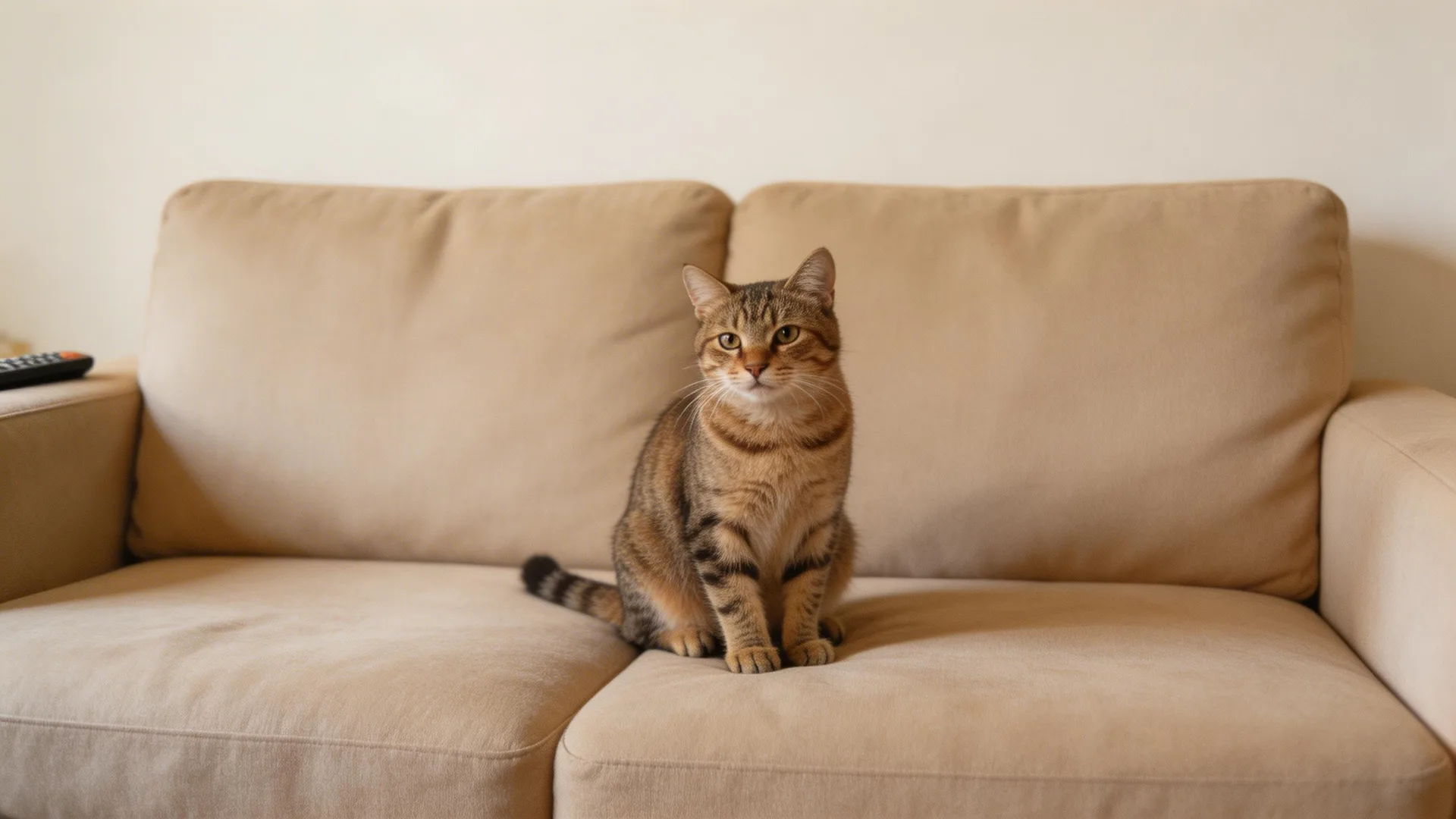
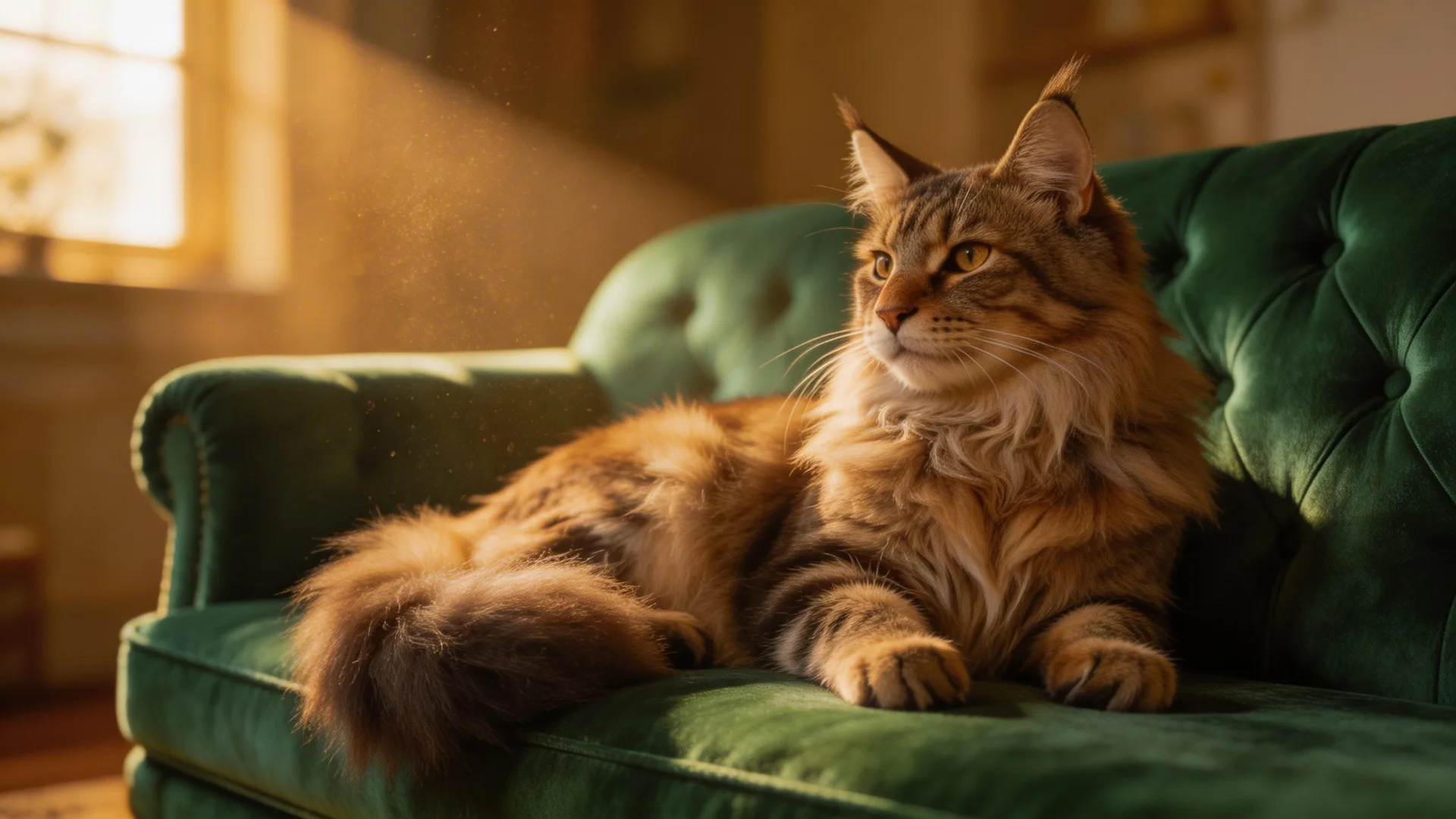
The most common mistake is being too vague. 'A cat on a couch' gives Seedream 5 almost nothing to work with — you'll get a generic, flat result. Compare that to 'A majestic Maine Coon cat lounging on a vintage emerald velvet Chesterfield sofa, dramatic Rembrandt lighting from a nearby window, dust particles visible in the light beam, shallow depth of field, shot on Hasselblad medium format, fine art pet photography.' Same subject, dramatically different output. Other common mistakes: contradictory instructions (don't ask for both 'bright sunny day' and 'moody dark atmosphere'), ignoring aspect ratio (use 16:9 for landscapes, 9:16 for portraits, 1:1 for product shots), and forgetting material textures ('brushed aluminum,' 'frosted glass,' 'raw silk' make surfaces look real instead of plastic).
Before
After
Advanced Techniques
Once you've mastered the basics, these advanced techniques will elevate your results further. Photography-specific language is the biggest unlock — terms like 'Rembrandt lighting,' 'golden ratio composition,' 'lens flare,' and 'chromatic aberration' trigger photorealistic rendering in Seedream 5's reasoning engine. For text in images, place your desired text in quotes: 'A movie poster with the text "The Last Frontier" in bold modern typography.' Seedream 5 achieves high text rendering accuracy. For composition, use terms like 'rule of thirds,' 'leading lines,' 'negative space,' and 'foreground framing.' For color, specify grading: 'warm orange and teal color grading,' 'desaturated muted tones,' or 'high contrast black and white.' Each technique stacks — combine them for increasingly refined control over your output.

Pro Tips
- 1.Iterate, don't start over. If a generation is 80% right, refine your prompt by adjusting one element at a time rather than rewriting from scratch. This helps you learn which words have the most impact.
- 2.Match your aspect ratio to your use case before generating: 16:9 (3072x1728) for website heroes and YouTube thumbnails, 1:1 (3072x3072) for Instagram and product shots, 9:16 (1728x3072) for TikTok and Stories. Native resolution means zero quality loss.
- 3.Keep a prompt library. When you find a lighting setup, camera spec, or style description that works well, save it as a reusable snippet. Swap the subject and setting while keeping the technical elements consistent.
Ready to try it yourself?
Start creating with Seedream 5. Get 75 free credits to begin — no credit card required.
Try your first prompt