Published 2026-03-06
How to Generate AI Headshots
Transform a casual selfie into a polished professional headshot — corporate, creative, LinkedIn-ready — using Seedream 5's AI editing and character consistency.

Why AI Headshots Are the New Standard
A professional headshot used to require booking a photographer ($150-500+), finding a studio, coordinating schedules, and waiting days for edited deliverables. For one person. Now multiply that across a team of 50 for a company directory refresh. AI headshots eliminate every friction point. Upload a casual photo, describe the professional style you want, and Seedream 5 generates a studio-quality headshot in seconds. LinkedIn profiles with professional headshots receive 14x more views. Corporate directories, email signatures, conference badges, personal websites — headshots are everywhere, and they need updating more often than most people schedule a photographer. AI makes it instant, affordable, and repeatable.
Step 1: Start with a Casual Photo
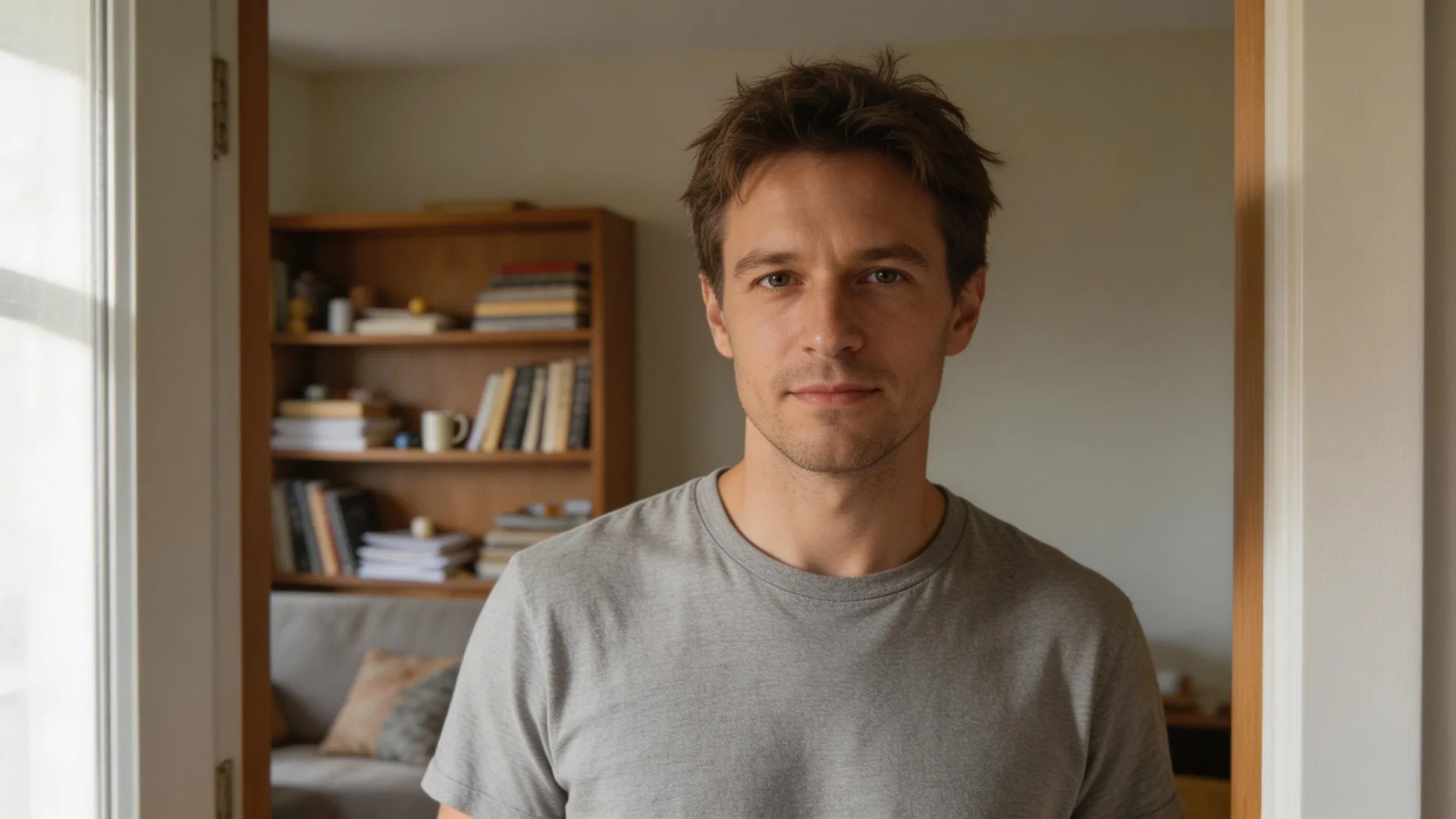
You don't need a professional photo to start — that's the whole point. A casual selfie or phone photo works perfectly as a reference for Seedream 5. The key requirements: your face should be clearly visible, the lighting should be reasonably even (near a window works great), and the image shouldn't be blurry. That's it. You can be wearing a t-shirt, standing in your living room, with a messy bookshelf behind you. Seedream 5's character consistency engine locks onto your facial features — bone structure, eye shape, skin tone, hair — and preserves them through the transformation. Everything else (clothing, background, lighting) gets replaced.

Step 2: Transform into a Professional Headshot
Upload your casual photo as a reference image and describe the professional headshot you want. For a corporate headshot: 'Transform into a professional headshot — charcoal suit with white dress shirt, clean gradient gray studio background, Rembrandt lighting with soft key light from the left, confident professional expression.' Seedream 5's edit mode replaces the casual clothing with professional attire, swaps the messy background for a studio setup, and adjusts the lighting to match a real photography studio. The face stays yours. For a creative/startup headshot, adjust the prompt: 'Dark navy henley, warm blurred office background with bokeh, natural window lighting, approachable expression.' Same reference photo, completely different professional style.
Before
After

Step 3: Generate Variations for Every Platform
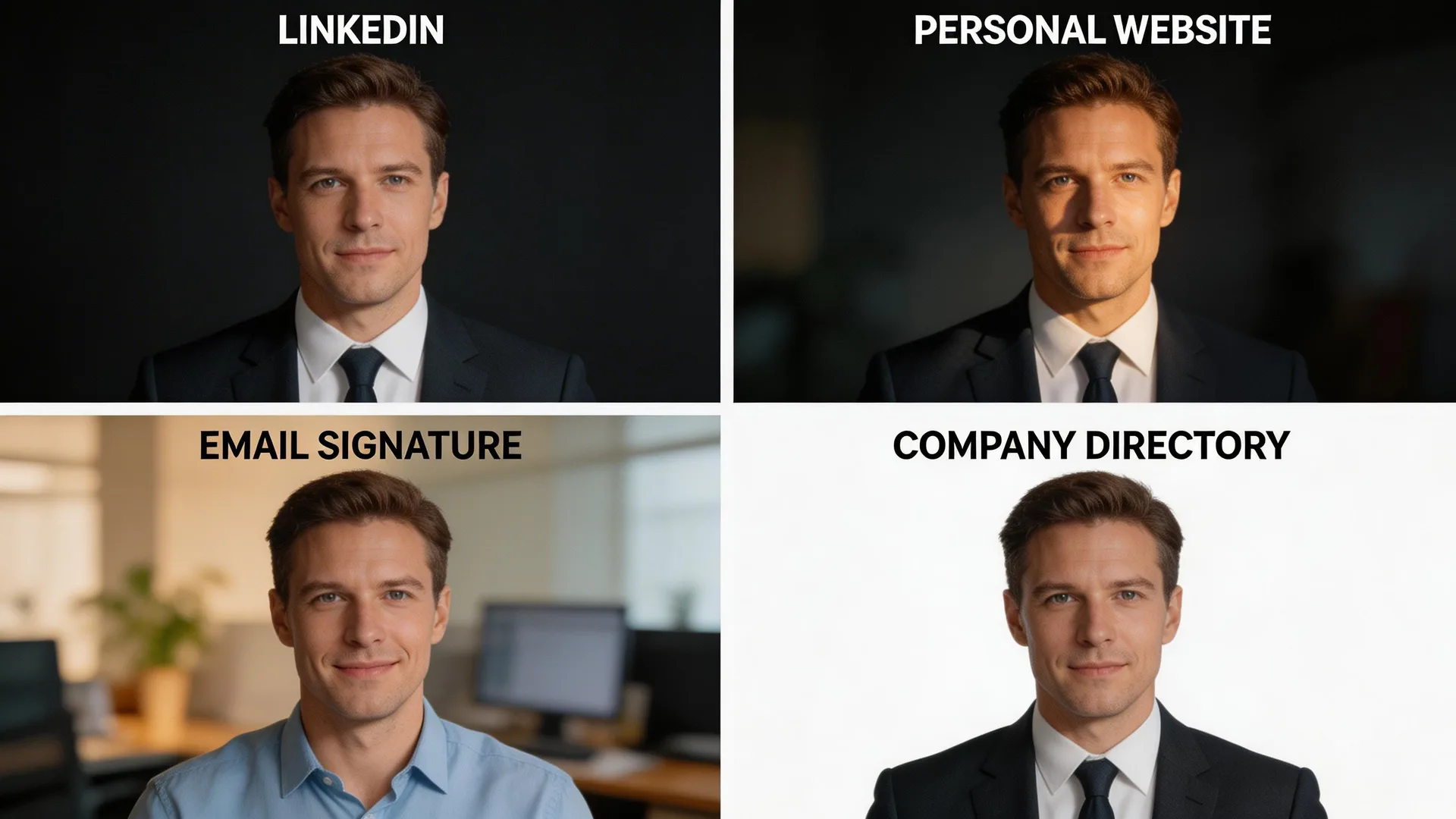
Different platforms need different headshot styles, and once you have a reference that captures your likeness, generating variations is effortless. LinkedIn favors a square crop with a clean, dark background — authoritative and polished. Your personal website might want a wider crop with creative lighting and a subtle gradient. Email signatures work best with warm, approachable headshots against a slightly blurred office background. Company directory photos typically need a plain white or light gray background. Generate all four from the same reference in one session. Seedream 5's character consistency keeps your identity locked across every variation — same face, same likeness, different professional contexts.
Pro Tips
- 1.For the most natural transformation, use a reference photo where you're facing the camera directly with a neutral expression. Extreme angles or strong emotions can limit the edit mode's ability to repose naturally.
- 2.Specify lighting style by name for different moods: 'Rembrandt lighting' for dramatic corporate, 'butterfly lighting' for flattering beauty-style, 'broad lighting' for approachable casual professional.
- 3.Generate seasonal headshot updates in batches. A quick session every quarter keeps your professional photos fresh across all platforms without ever booking a studio.
Ready to try it yourself?
Start creating with Seedream 5. Get 75 free credits to begin — no credit card required.
Generate your headshot